A AdminPro
Loading your dashboard…
A AdminPro
29 page templates · 2 full layouts

The admin dashboard you don't have to build page by page.

AdminPro is an HTML5 admin template with a full sidebar layout and a full horizontal-nav layout, dark mode built in, and every screen a SaaS product actually needs — from auth to invoices to a kanban board.
No build step — pure HTML/CSS/JS Bootstrap 5.3 under the hood Light & dark mode
Built on tools your team already knows
Bootstrap 5.3 Chart.js 4 Bootstrap Icons Semantic HTML5 CSS variables

Everything a dashboard product needs, already wired up.

Every interaction below is real, working code in the template — not a mockup you have to rebuild.

Two complete layouts

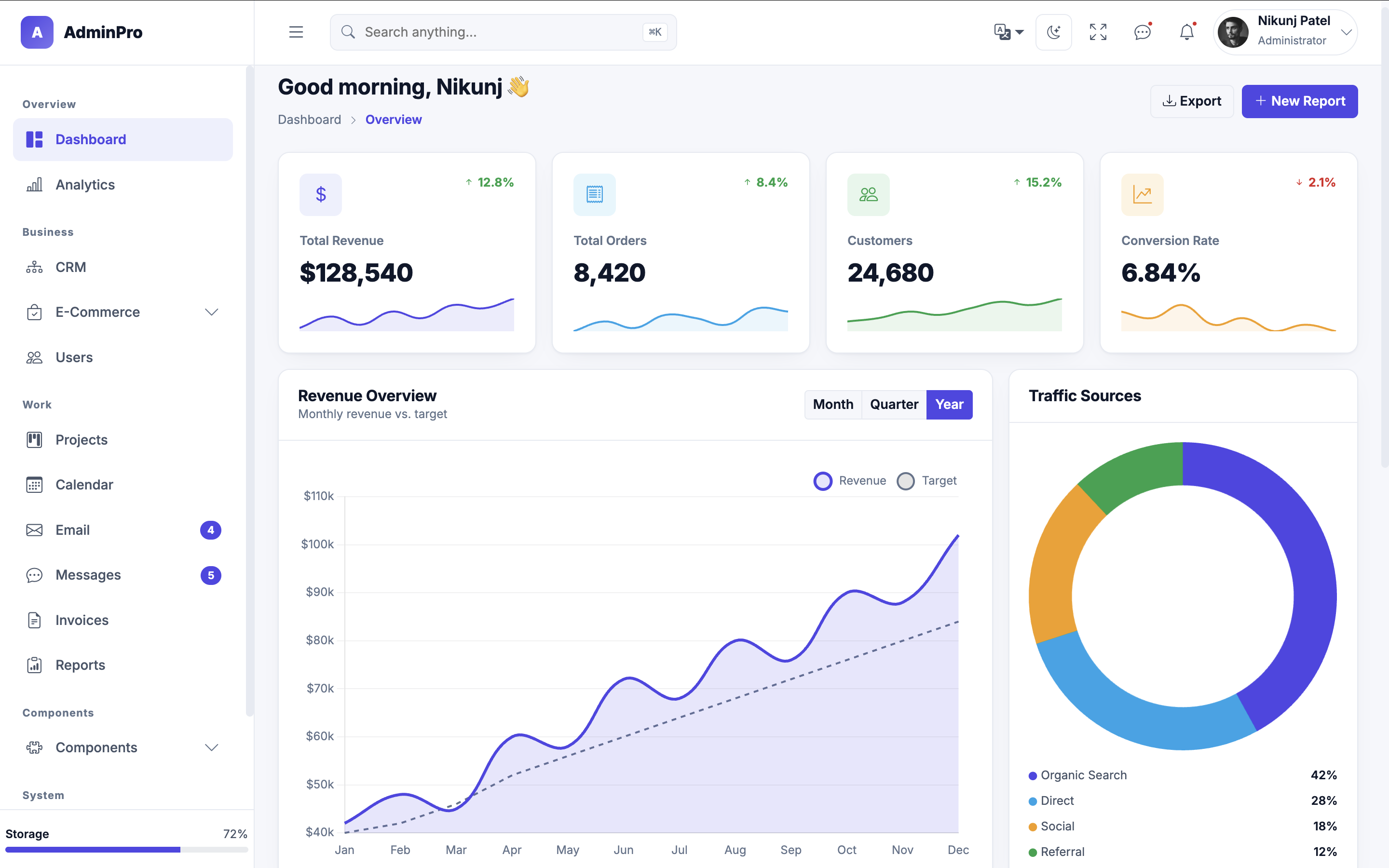
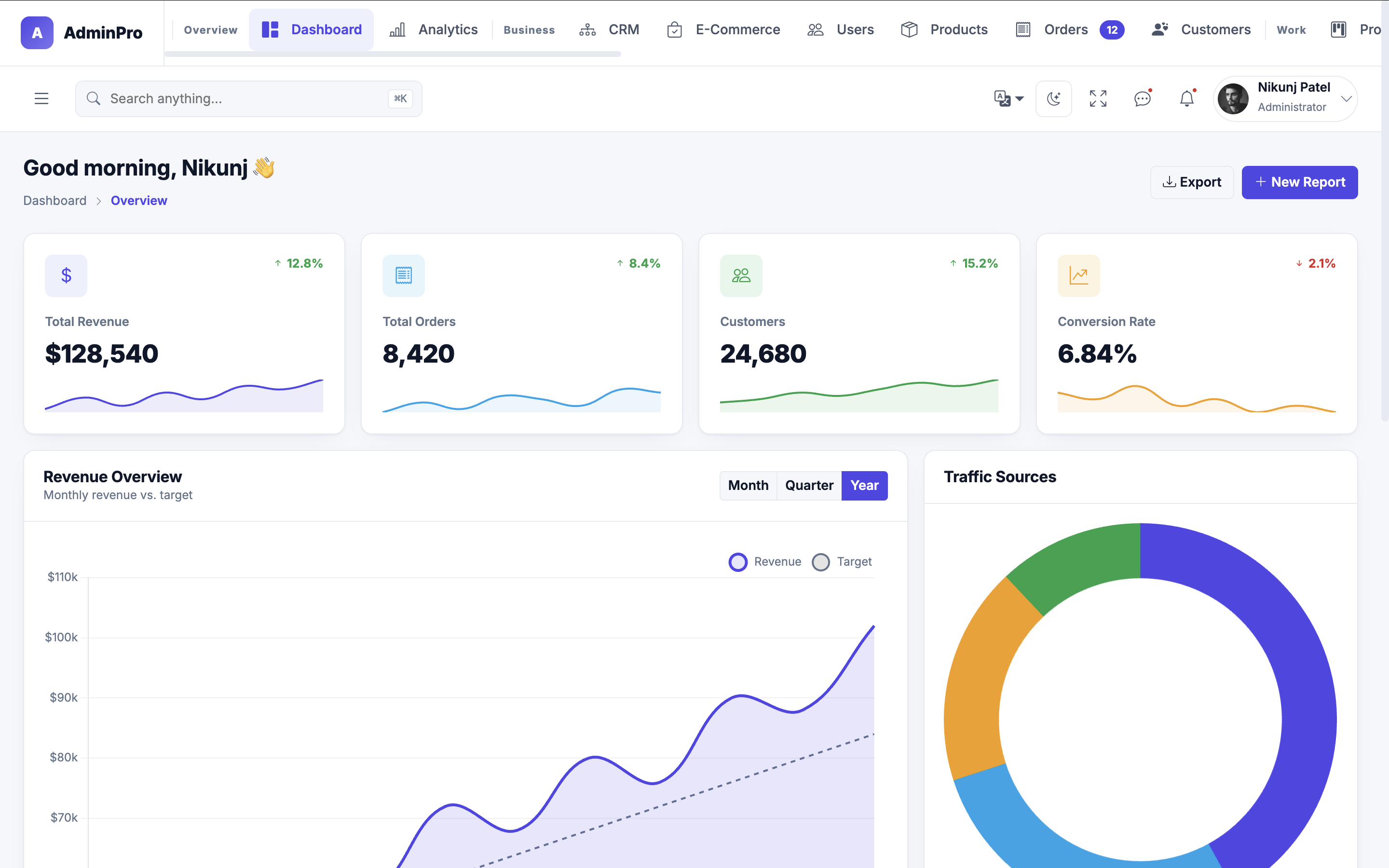
Every page ships twice — once with a collapsible left sidebar, once with a horizontal top nav — so you pick the shell that fits your product.

Light & dark mode

A single click swaps the entire palette, including charts, without a page reload. Driven by CSS custom properties, not two separate stylesheets.

Live Chart.js dashboards

Revenue trends, traffic sources, conversion funnels and sparklines, each with range switching (week / month / year) already scripted.

Searchable, paginated tables

Orders, users, products and customers all include working client-side search, filtering and pagination — no backend required to demo.

Responsive down to mobile

The sidebar becomes a slide-out drawer, the horizontal nav scrolls, and every table and card grid reflows cleanly on small screens.

Auth & state pages

Login, register, lock screen, 404 and 500 pages are included so the edges of your app look as finished as the dashboard.

Projects & CRM boards

A drag-friendly kanban layout for projects and a pipeline view for CRM, both built with the same component set as the rest of the kit.

Full UI component kit

Buttons, badges, alerts, tabs, tooltips, modals and form controls — restyled once, reused everywhere, documented on their own pages.

Plain HTML, CSS & JS

No React, no build pipeline, no npm install. Open a file and edit it — every page is standalone and easy to hand to any developer.

One template, two navigation systems.

Both layouts share the same design tokens and components, so switching between them later is a styling decision, not a rebuild.

Sidebar layout

A classic collapsible left sidebar with nested sub-menus, ideal for apps with deep, hierarchical navigation.

  • Collapses to icon-only or a mobile drawer
  • Grouped sections with sub-menu drill-down
  • 32 pages, including 404, 500 and lock screen
Live preview — Sidebar

Horizontal layout

A top navigation bar that keeps the full page width for content — a better fit for wide tables and chart-heavy screens.

  • Scrollable nav bar for smaller screens
  • Same components, more horizontal space
  • 29 pages, sharing one design system
Live preview — Horizontal

Every screen, categorized.

Each page below exists in both layouts (sidebar and horizontal), except where noted.

Dashboards

  • Dashboard
  • Analytics
  • CRM
  • E-Commerce
  • Graphs
  • Reports

Apps

  • Calendar
  • Email
  • Messages
  • Projects
  • Invoices
  • Billing

Commerce & users

  • Products
  • Product details
  • Orders
  • Customers
  • Customer details
  • Users & profile

UI kit & system

  • UI elements
  • Extended UI
  • Icons library
  • Modals
  • Notifications
  • Forms & validation
Plus data tables, settings, authentication, and lock screen / 404 / 500 states — 61 HTML files across both layouts.

Built the way front-end developers expect.

Shared styles live in one stylesheet, shared behavior in one script, and every page keeps only what's unique to it.

MarkupHTML5
CSS frameworkBootstrap 5.3.8
ChartsChart.js 4
IconsBootstrap Icons 1.11
TypographyInter, Roboto Mono
JavaScriptVanilla, no dependencies
ThemingCSS custom properties
Build stepNone required
Browser supportLatest evergreen browsers
/* one place to restyle every page */
:root {
  --ap-primary: #4F46E5;
  --ap-surface: #FFFFFF;
  --ap-radius: 0.75rem;
}

[data-theme="dark"] {
  --ap-surface: #151B2C;
  --ap-bg: #0B1120;
}

// one shared script, per-page files stay small
<script src="assets/js/script.js"></script>
<script src="assets/js/orders.js"></script>

Frequently asked

No. Every page is plain HTML, CSS and JavaScript. Open any file directly in a browser or drop the folder on a static host — there's nothing to compile.

They share the same components and CSS variables, just arranged differently: one uses a collapsible left sidebar, the other a horizontal top nav. Pick whichever fits your product, or ship both and let users choose.

Yes. Tables, forms and charts currently run on demo data defined at the top of each page's script file — replace those arrays with API calls and the rendering logic keeps working as-is.

No, it's one template. Dark mode is driven entirely by CSS custom properties toggled with a single data-theme attribute, so there's nothing extra to maintain.

Shared design tokens and behavior live in one style.css and one script.js. Each page then loads a small, page-specific CSS and JS file for anything unique to it — nothing is duplicated across the template.

See it running before you decide.

Both layouts are live below — click through the same pages in each and compare.